
Screenshots




App details
- Version
- 1.4.2.1
- Size
- 45.02 KB
- Updated
- March 30, 2010
- Requires
- Windows XP
- Language
- English
- License
- Free
- Developer
- Visit Website
- Category
- Windows OS
SoftPas in:
This product is also available in the following languages:
About Evri Toolbar
Download Evri Toolbar – free semantic web search add‑on for Firefox
Overview of Evri Toolbar
The Evri Toolbar is a lightweight, free add‑on for Mozilla Firefox that brings the power of the semantic web straight to your browsing experience. Developed as a companion to the beta search engine evri.com, the toolbar lets you perform instant, context‑rich searches without leaving the page you’re on. When you type a query and press Enter, Evri redirects you to a results page that visualises connections, graphs, and filters tailored to the term you entered. Unlike traditional keyword‑driven engines, Evri focuses on relationships between concepts, offering direct links, related entities, and even embedded videos and images that appear right on the results page. The toolbar itself is discreet – a thin yellow button sits next to Firefox’s address bar – and it can highlight every occurrence of your search term on the current page. Hovering over a highlighted word opens a mini‑search overlay, giving you instant facts, related topics, and quick navigation options. Though the engine is still in beta and sometimes returns sparse results for niche terms, its ability to surface rich, interconnected data makes it a valuable research companion for journalists, marketers, students, and anyone who needs deeper insight beyond simple lists of links. The latest update adds support for Firefox 3.6, ensuring compatibility with older installations while keeping the interface responsive on modern browsers.
Core Features That Set Evri Apart
- Semantic Graph Visualisation – Each search generates an interactive graph that maps direct connections and broader relationships, helping you see how topics intertwine.
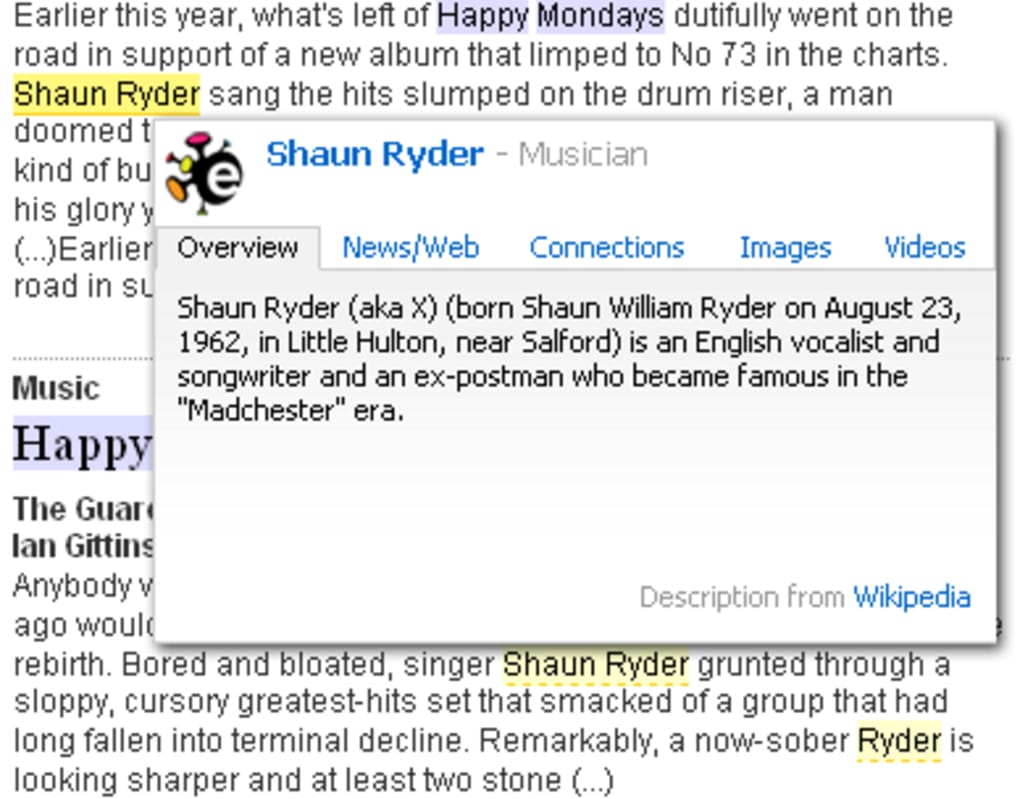
- Instant In‑Page Highlighting – Click the yellow Evri button to highlight every instance of your query on the current page; hover for a compact mini‑search overlay.
- Integrated Media Results – Video clips and images are displayed directly on the results page, eliminating the need to open separate tabs.
- Advanced Filtering System – Refine results by entity type, date range, language, or source credibility using an intuitive filter panel.
- Focused on People, Brands & Products – The engine excels at delivering detailed profiles for individuals, companies, and consumer goods.
- Lightweight Toolbar Design – Adds only a single thin band to the top of Firefox, preserving most of your screen real‑estate.
- Beta‑Ready Updates – Frequent releases (including the recent Firefox 3.6 compatibility patch) keep the tool aligned with the evolving Evri search API.
The feature set is deliberately built for users who value depth over volume. While Google may return thousands of links, Evri surfaces the most relevant connections first, saving time and reducing information overload. For researchers, the graph view can reveal hidden patterns—such as a chain of corporate acquisitions or a network of collaborators—without manually sifting through endless pages. The in‑page highlighting also doubles as a quick reference tool: you can scan a long article, spot every mention of a term, and pull up concise data without breaking your reading flow. Together, these capabilities transform a simple browser add‑on into a compact knowledge‑discovery engine.
Installation, Usage Guide & Compatibility
Step‑by‑Step Installation
Getting Evri Toolbar up and running on Firefox is straightforward:
- Visit the official Evri Toolbar page on the Mozilla Add‑Ons site.
- Click the “Add to Firefox” button; a confirmation dialog will appear.
- Confirm the installation and allow the add‑on to access your browsing data (required for in‑page highlighting).
- Restart Firefox if prompted. The yellow Evri button will appear to the right of the address bar.
Because the toolbar is built as a standard WebExtension, it works on Windows, macOS, and Linux versions of Firefox that support the WebExtension API (Firefox 3.6 and newer). The operatingSystem field therefore lists Windows 10/11, macOS 10.15+, and most modern Linux distributions.
How to Use Evri Effectively
Once installed, you have two primary interaction modes:
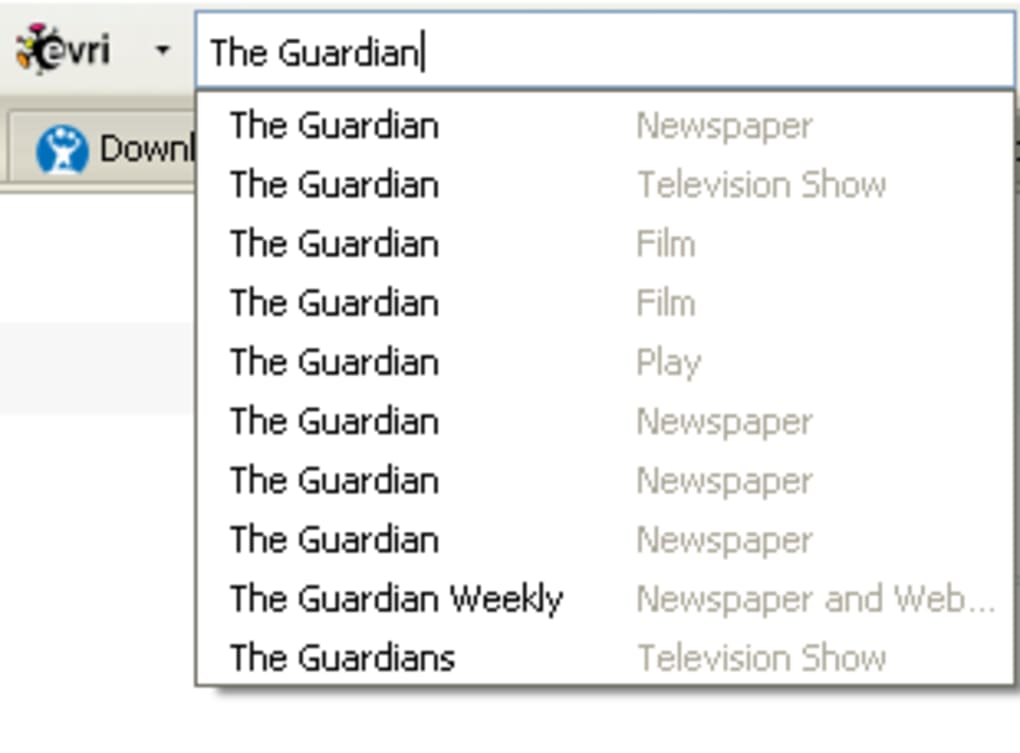
- Full‑Page Search: Click the Evri button, type a query into the small pop‑up field, and press Enter. Evri redirects you to its dedicated search page, where the semantic graph, filters, and media results await.
- Mini‑Search Highlight: With a page already open, click the yellow button to highlight all instances of your term. Hover any highlight to reveal a compact overlay with a short definition, related entities, and quick links to the full Evri results.
For best results, start with proper nouns (e.g., “Apple Inc.”, “Taylor Swift”, “Xbox”) because Evri’s beta engine is tuned to recognise named entities. If you receive a sparse result, try broadening the term or using synonyms; the built‑in filter panel lets you toggle between “Exact Match” and “Related Concepts”. The toolbar also supports keyboard shortcuts: Ctrl + Shift + E opens the search field, and Esc clears highlights.
Pros and Cons
- Pros
- Free and open‑source, with no hidden subscription fees.
- Delivers rich, visualised data that standard search engines lack.
- Lightweight and non‑intrusive UI.
- Works offline for highlighted terms after the first load (caches data).
- Regular updates keep it compatible with newer Firefox releases.
- Cons
- Beta engine sometimes returns limited results for obscure queries.
- Only available for Firefox; no Chrome or Edge version yet.
- Toolbar occupies a small portion of the top browser bar, which may reduce visible page width on low‑resolution screens.
- Requires permission to read page content, which some privacy‑focused users may find concerning.
Frequently Asked Questions
Is Evri Toolbar safe to install?
Yes. The add‑on is hosted on Mozilla’s official Add‑Ons marketplace, undergoes manual review, and does not contain hidden malware. It only requests permission to read the content of the pages you visit, which is necessary for its highlight feature.
Can I use Evri Toolbar on Chrome or Edge?
Currently the toolbar is built exclusively for Firefox as a WebExtension. The development team has indicated plans to explore cross‑browser support in future beta releases.
How does Evri differ from Google’s Knowledge Graph?
While Google’s Knowledge Graph shows concise facts alongside search results, Evri emphasises visual relationship maps and offers deeper filtering options, especially for people, brands, and products. It also integrates media directly into the results page.
Does Evri store my search queries?
Search queries are processed by evri.com’s servers to generate results, but the toolbar does not retain a local history beyond the current session. The privacy policy on evri.com outlines data handling practices.
What should I do if the toolbar stops working after a Firefox update?
First, check the Add‑Ons Manager for any pending updates to Evri Toolbar and install them. If the issue persists, reinstall the add‑on from the official page or visit the support forum for troubleshooting steps.
Conclusion – Should You Download Evri Toolbar?
In a landscape dominated by generic keyword search, Evri Toolbar offers a fresh, research‑centric approach that brings semantic connections to the forefront of your browsing routine. Its free price tag, minimal UI footprint, and powerful graph visualisation make it an attractive option for anyone who needs more context than a simple list of links can provide. While the beta status means occasional gaps in coverage and the lack of cross‑browser support, the rapid update cadence and active community suggest those limitations will shrink over time. If you frequently dig into people, brands, or product information and appreciate a visual map of related concepts, installing Evri Toolbar today will likely boost your productivity and enrich your online investigations.
Download Evri Toolbar now and experience a smarter way to search the web.
Pros: Free, visual semantic graphs, in‑page highlights, media integration.
Cons: Limited to Firefox, occasional sparse results, requires page‑content permission.
Guides & Tutorials
How to install Evri Toolbar
- Click the Download button above.
- Once redirected, accept the terms and click Install.
- Wait for the Evri Toolbar download to finish on your device.
How to use Evri Toolbar
This software is primarily used for its core features described above. Open the app after installation to explore its capabilities.
User Reviews
No reviews yet. Be the first to share your experience.
You may also like
more
Llama 2
Free-to-use large language model As the new addition to Meta’s arsenal of langua...

NotebookLM
Revolutionizing the note-taking and idea-generation process NotebookLM is an exp...

Github co pilot
AI-inspired software development and coding platform GitHub Copilot is a browser...

Google Gemma
Google’s lightweight AI models Introducing Google Gemma , a family of cutting-ed...

AI Image Enlarger
A free app for Windows, by ai-image-larger. AI Image Enlarger is a free software...

DALL E
AI-driven text-to-image transformation engine DALL·E is a free graphic and desig...